

Features
Everything Quran Loop does to help you learn and memorize
Quran Loop is a free app for learning and memorizing the Quran, built on one habit: hearing the same verses on repeat, on the printed page you learn from. Here’s all of it, grouped by the job it does in your routine.
Your loop, on your page
Repeat each verse until it sticks
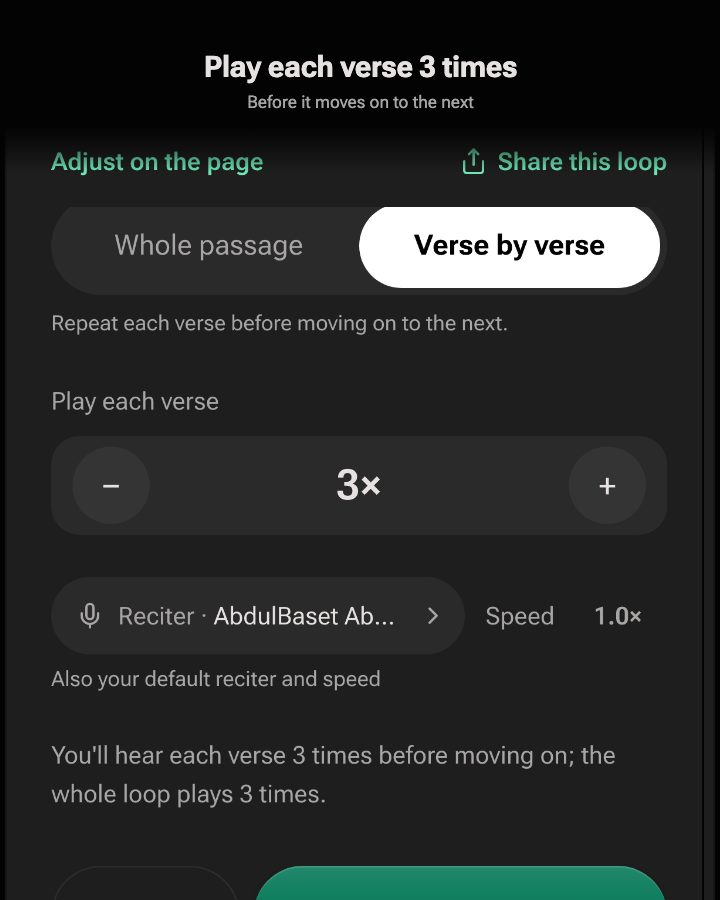
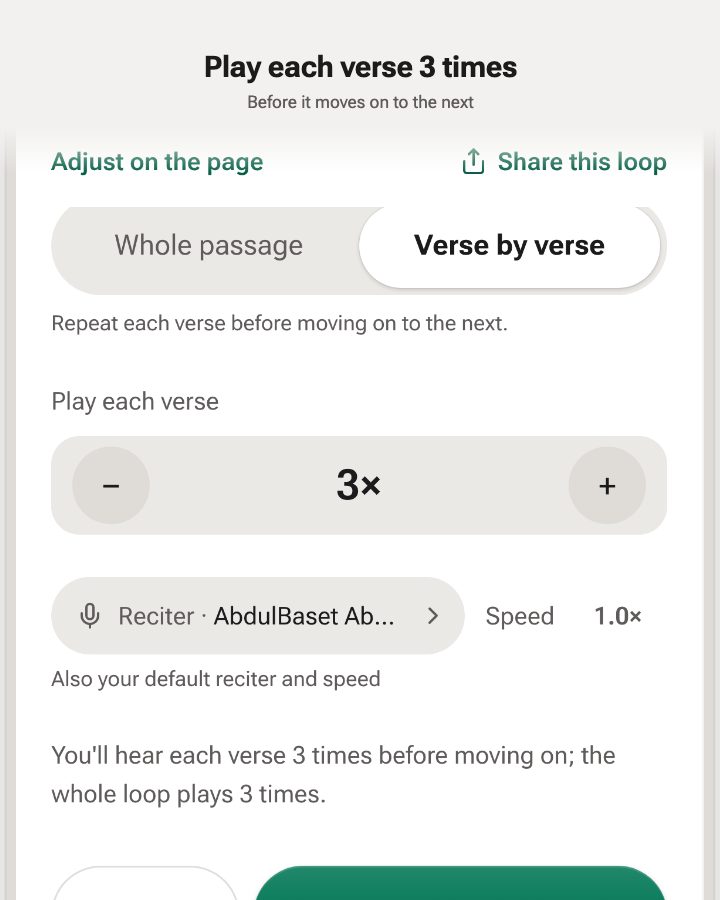
Quran Loop is a verse repeater made for memorizing. Pick the verses, then choose how they repeat: Whole passage plays them in order and starts over, and Verse by verse plays each one several times before moving on.
- Play each verse 2×, 3× or up to 100× before the next one.
- Repeat the whole loop 1, 3, 5, 10 or 20 times, or until you stop.
- Slow the recitation to 0.75× or 0.5× for a new lesson.
Your loop, on your page
Read the 15-line mushaf page by page
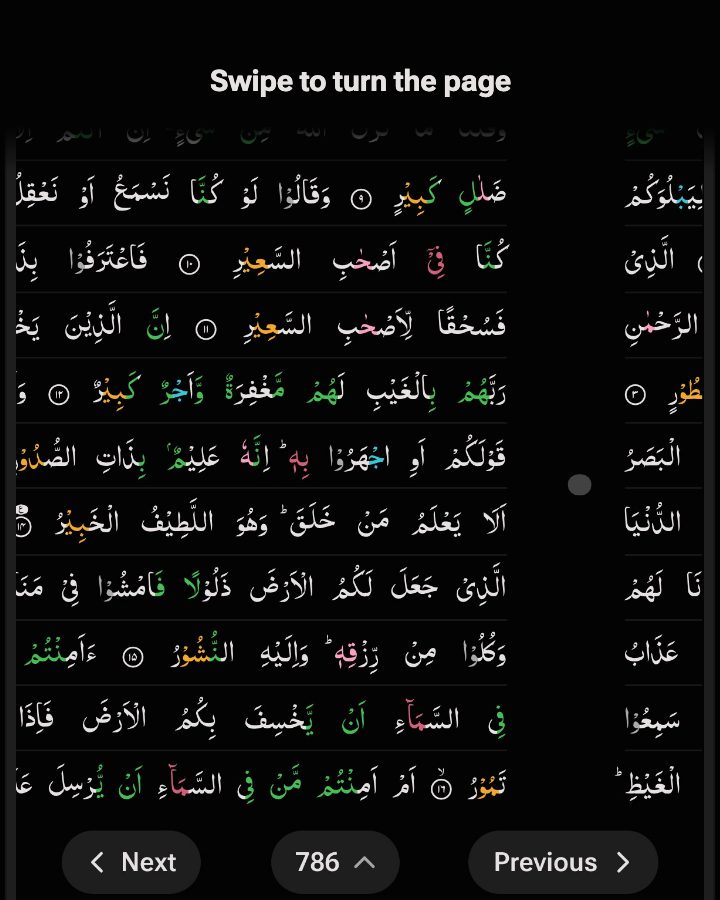
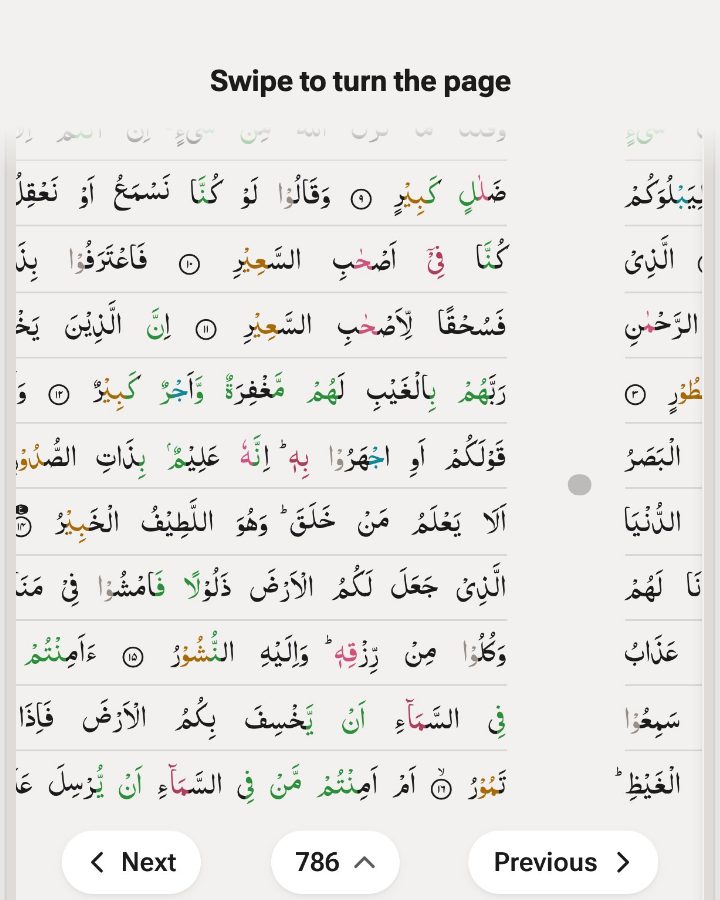
The Mushaf shows the Quran as printed pages: the Madani 15-line page, or IndoPak with 13, 15 or 16 lines. Tap where your lesson starts and where it stops, and the loop is drawn on that page, each word lit as it’s recited.
The 15-line Quran online: IndoPak and Madani compared · The 13-line Quran online
- Madani 15-line (604 pages), or IndoPak 13-line (847 pages), 15-line or 16-line.
- Swipe between pages on a phone, like turning a real mushaf.
- Switch to Verse view for one verse at a time, with the translation.
Why the page matters
Many huffadh describe seeing the page as they recite: which line a verse starts on, and whether it sits near the top or the bottom. That’s why teachers say to memorize from one mushaf and keep to it. Reading research shows people remember roughly where on a page they read something, even when they weren’t trying to (Rothkopf, 1971).
Here is verse 7 of Al-Mulk in each print. Pick yours.
Learn a new lesson
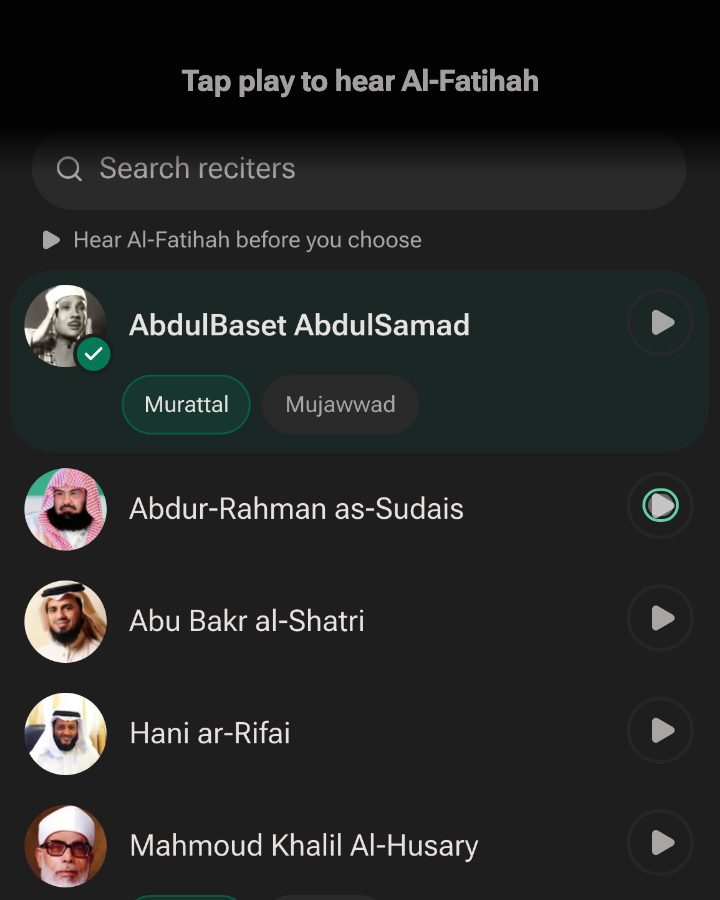
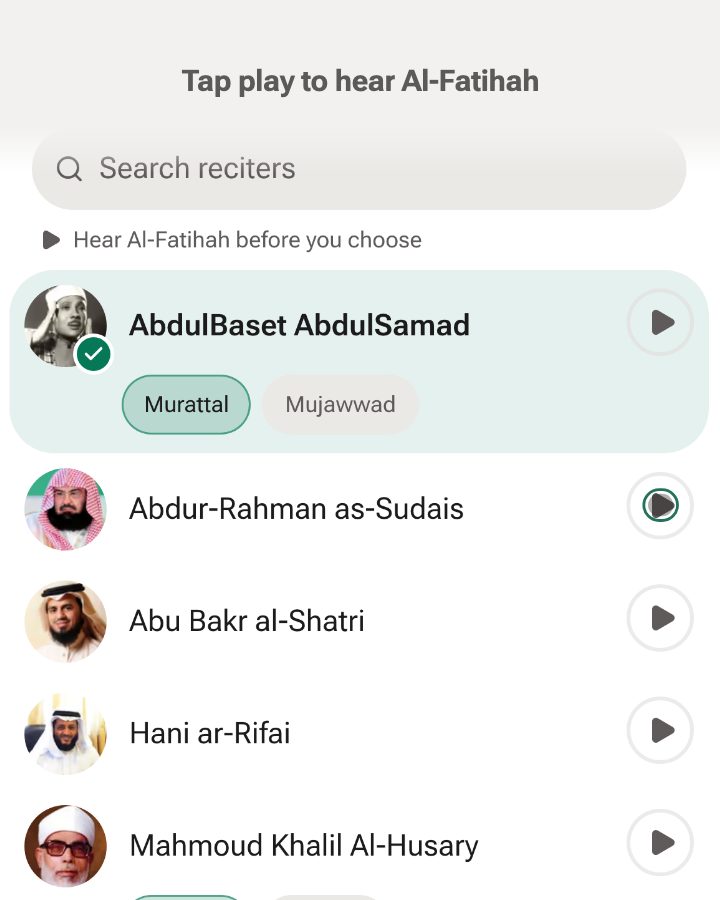
Choose your reciter, and preview before you pick
Tap play beside any reciter to hear them recite Al-Fatihah before you switch, so you choose by ear. Abdul Basit is the default. Mishary Alafasy, Abdur-Rahman as-Sudais, Mahmoud Khalil al-Husary and Mohamed Siddiq al-Minshawi are among the others, and we keep adding more, so check the app for the full list.
- Pick a style where a reciter has more than one: Murattal, Mujawwad, or al-Husary’s Muallim, a teaching recitation.
- The preview pauses your loop, then picks up where it was.
- One reciter for all your loops, so the voice in your memory stays the same.
Learn a new lesson
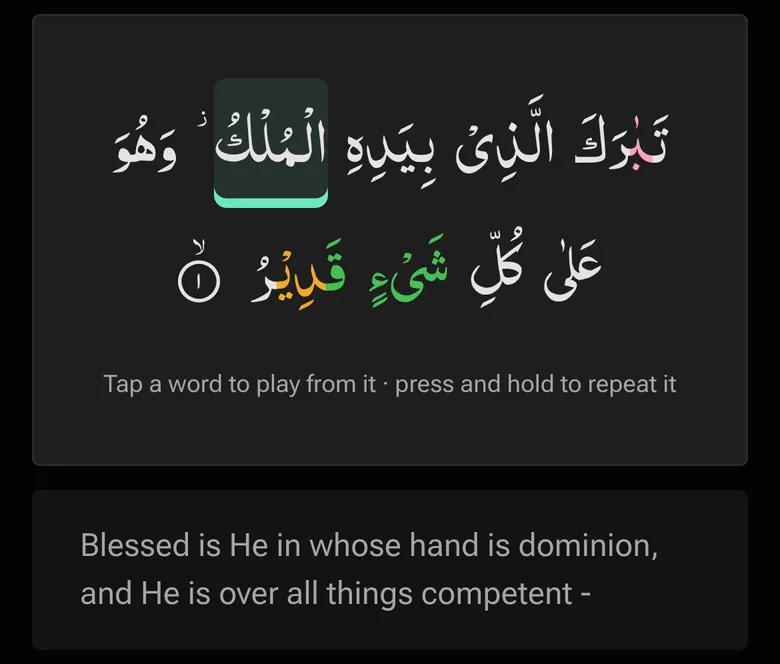
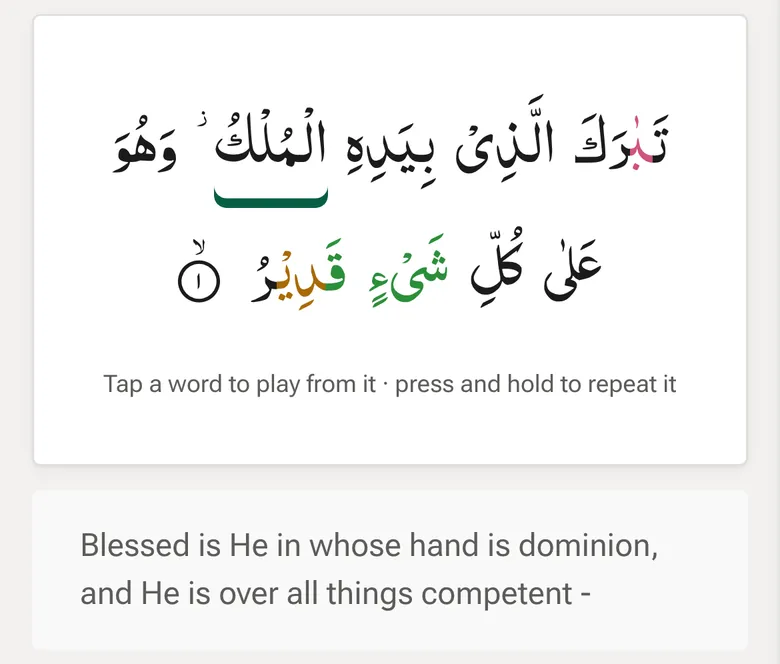
Follow the Quran word by word as it’s recited
Each Arabic word lights up the moment it’s recited, so your eyes and ears stay on the same word. In Verse view, tap a word to play from it, or press and hold to repeat that word until you have it.
Try a working sample of word by word
- The highlight follows the reciter you picked, on the Mushaf page and in Verse view.
- With the translation showing, the English for the word being recited lights up inside the sentence, in Verse view, Large text and the translation panel on the printed page.
- Turn the highlight off in the Aa menu if you’d rather just listen.
Catch the verses that slip
Mark weak verses and loop them again
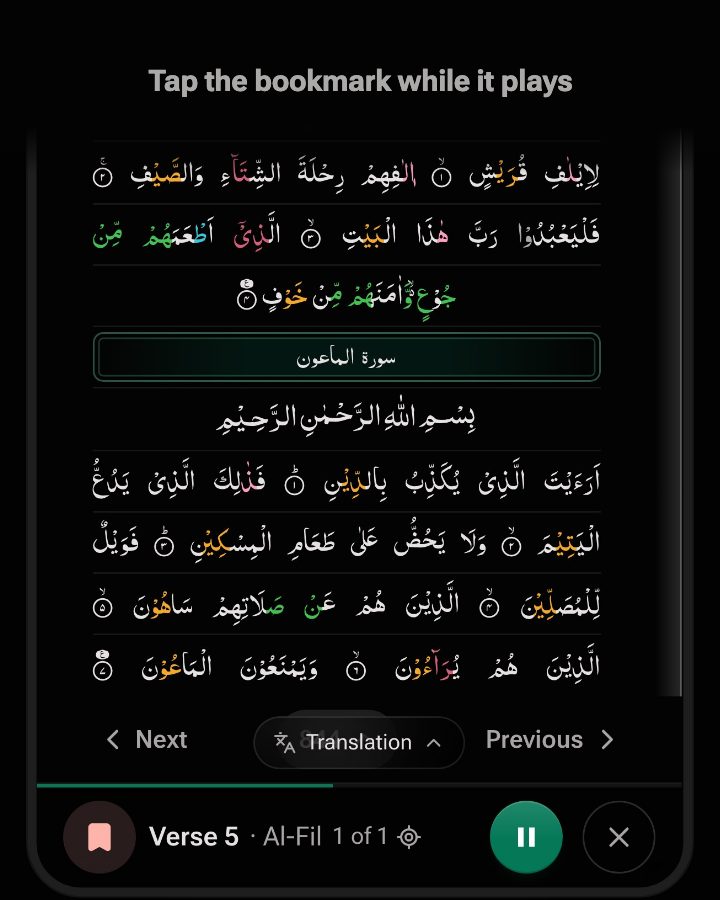
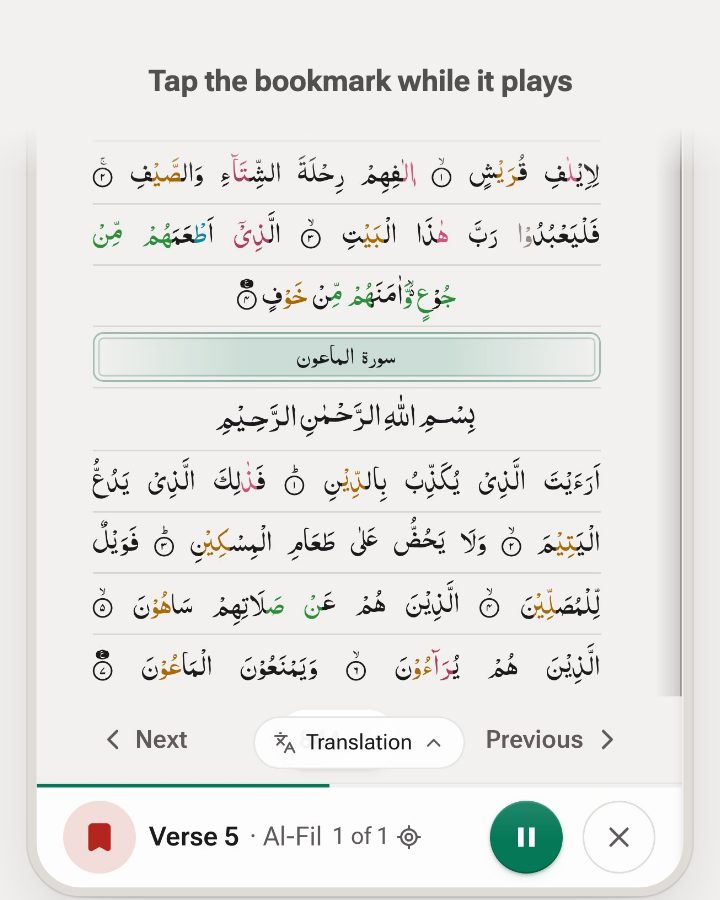
When a verse slips, tap Mark weak, or press W, without stopping the recitation. The verse gets a red underline on the page, and later you can loop just the verses you marked.
It’s also how to drill mutashabihat, verses that sound alike and are easy to mix up. Al-Mulk 3 and 4 both say “return your sight”: mark both and loop them side by side until each one has its own place. How weak verses and daily revision work.
- Tapped a moment late? A mark in the first 2 seconds of the next verse goes to the one that just ended.
- Loop weak verses here, in the page menu, plays only that page’s weak verses.
- Weak verses keeps the list and says how long it’s been, like “Not practised in 9 days”.
Test and revise
Test your Quran memorization
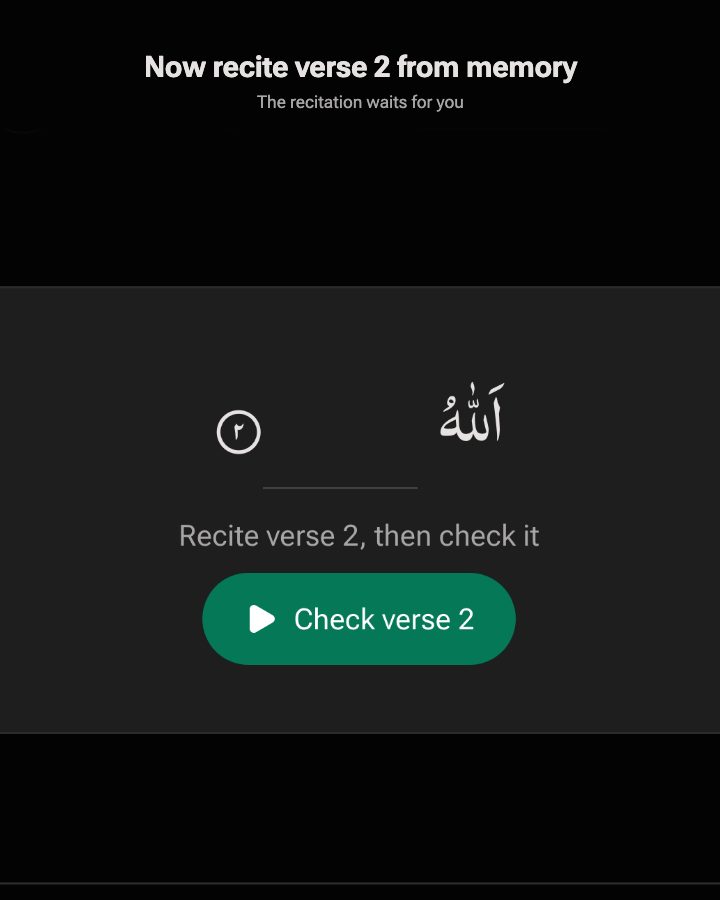
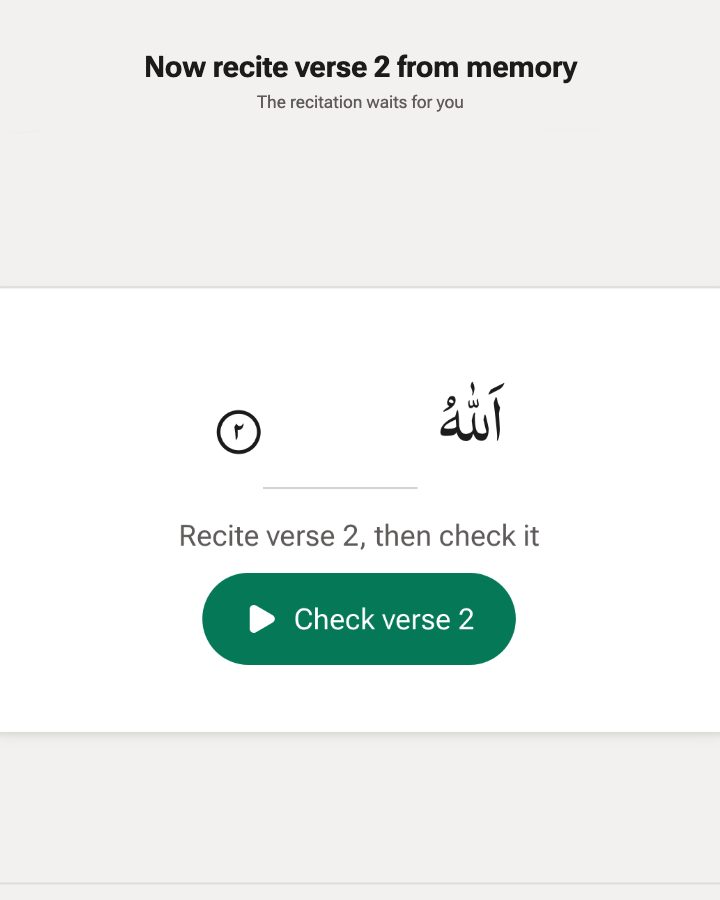
Turn on Test yourself and only the first word of each verse shows. Recite the rest from memory, then check yourself against the recitation.
- In Verse view, playback stops before each verse: “Recite verse 2, then check it”. Tap Check to hear it.
- On the Mushaf page, every verse keeps only its first word, so you can test a whole page.
- Turn off the word highlight to test your listening recall.
Test and revise
Playlists, daily revision and shared loops
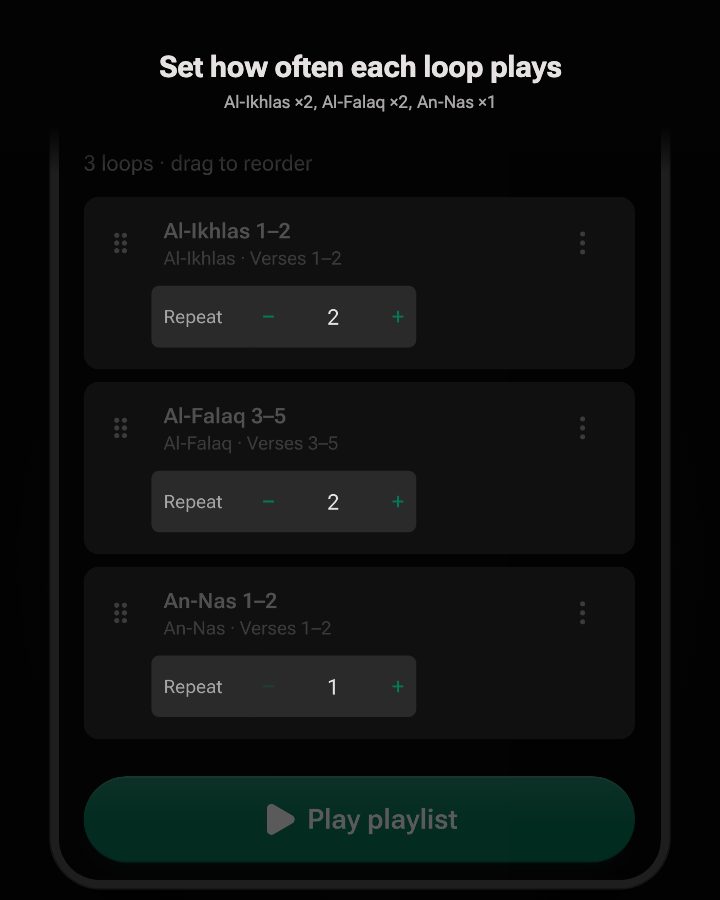
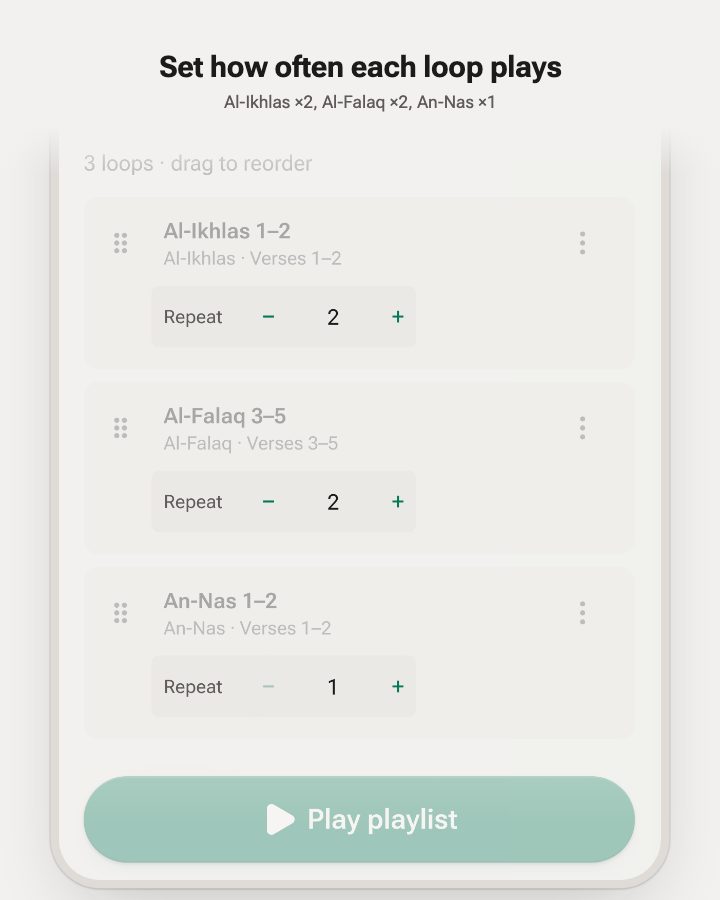
Put the loops you revise in a playlist and it plays them back to back, in the order you set, and can start over at the end. For each day, the page menu’s Today section picks up where you left off.
Weak verses, playlists and saved loops need a free account, so they follow you to every device. Listening, testing and shared links don’t.
- Today: Continue with the next lines, replay Recent pages, or revise the Juz of the day.
- Share this loop sends a link that opens the same verses on the Mushaf, ready to play. No account needed to open it.
- Drag loops into the order you revise in, and give each its own repeat count.
Read your way
Colour-coded tajweed
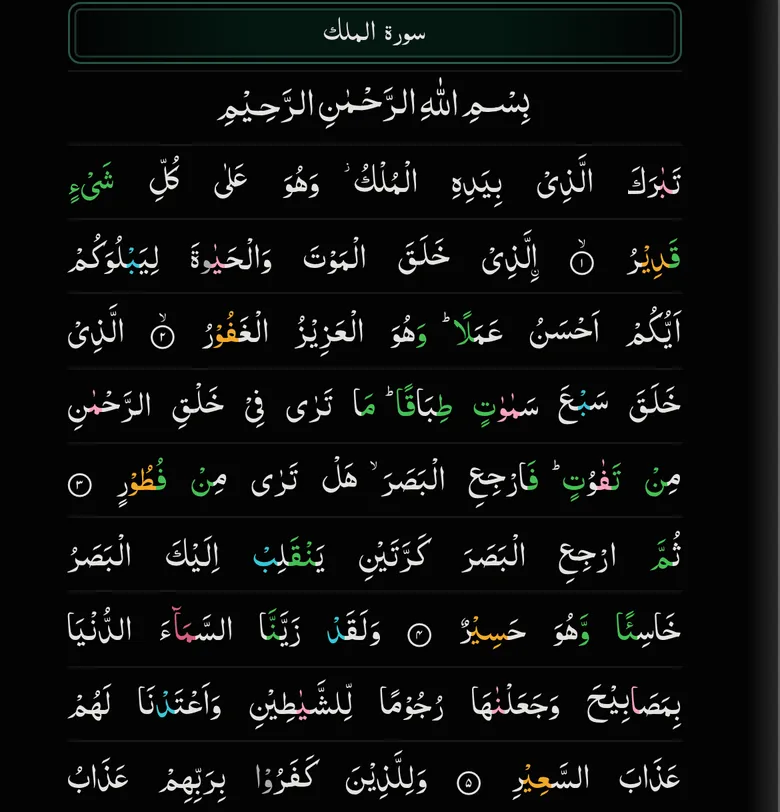
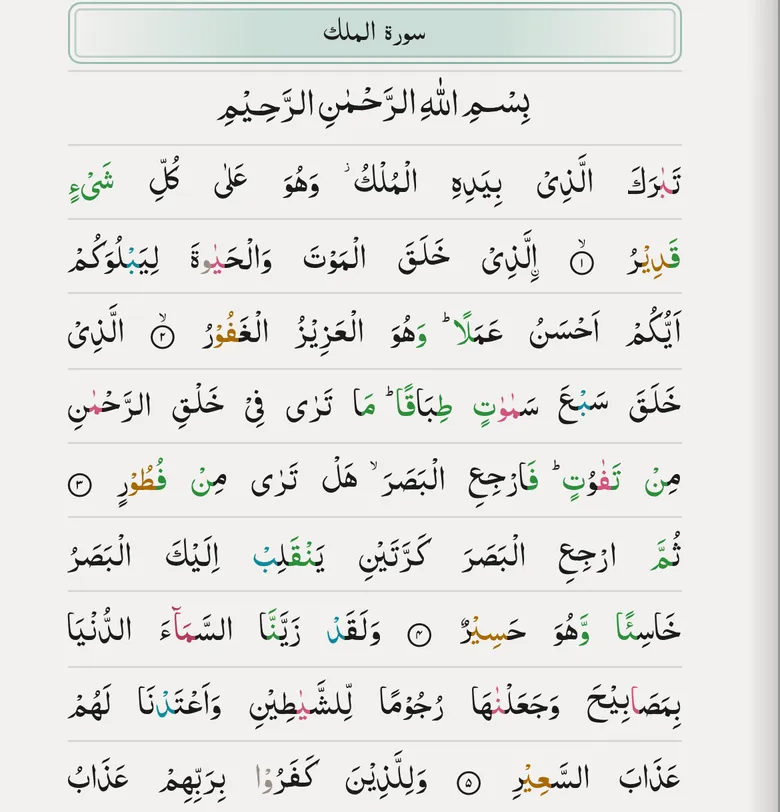
Turn on Tajweed colours and the rules are coloured in the text, in both the Madani and the IndoPak script, on the Mushaf page and in Verse view. The colour key sits right under the switch.
- Silent letters, the four madd lengths, ghunnah and qalqalah each have a colour.
- In light mode the colours are deeper, so they stay clear on white paper.
- Turn it off any time for plain text.
- Silent (skip)
- Normal Madd (2)
- Permissible Madd (2–6)
- Obligatory Madd (4–5)
- Necessary Madd (6)
- Ghunna/ikhfa’
- Qalqalah (bounce)
Read your way
Large print for easier reading
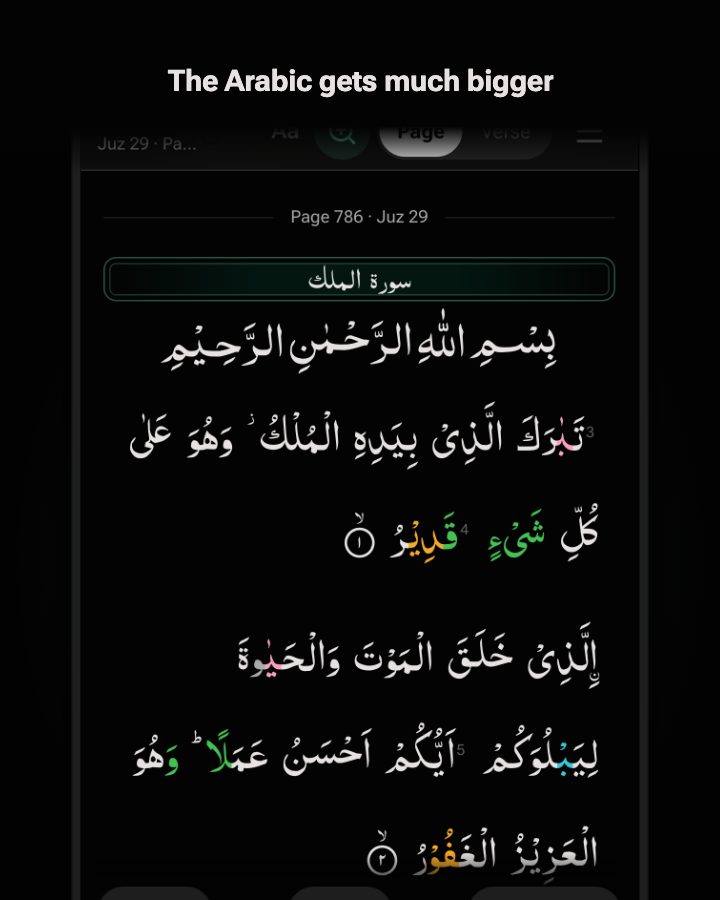
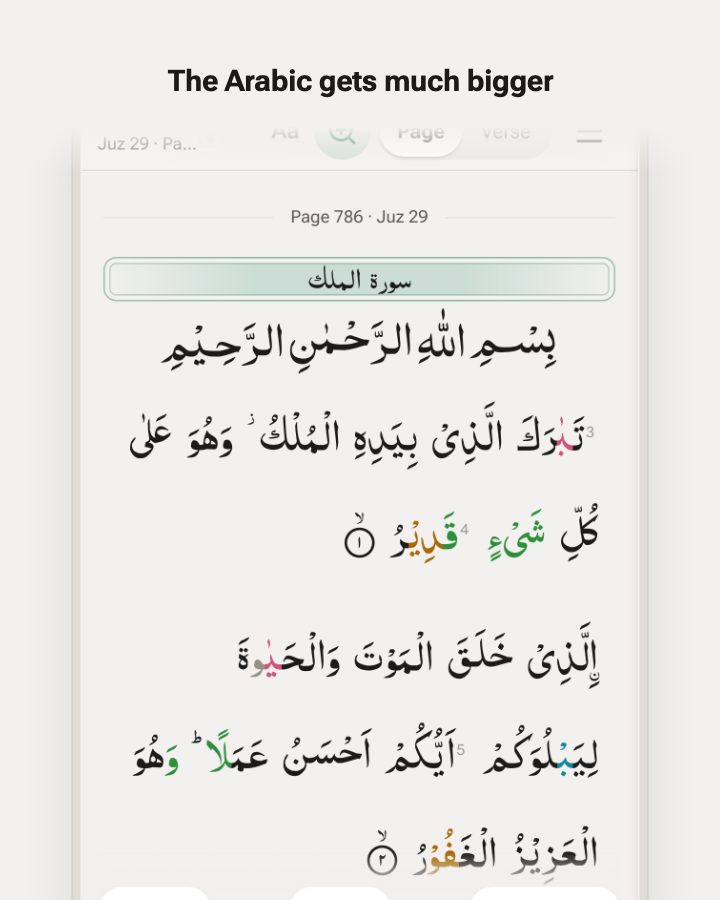
Large text sets the Arabic bigger and stacks the verses, so nothing is squeezed onto a line. Each printed page is still marked, with its line numbers, so you never lose your place in your mushaf.
- One tap on the magnifier to switch, one tap back to the printed page.
- Tajweed colours and your loop carry over.
- A large font Quran on any phone, tablet or computer.
And the basics
-
Plays with the screen off
Controls on your lock screen while the recitation keeps going. On most phones.
-
On your home screen
Add it from your browser and it opens like an app, on a phone, tablet or computer.
-
Dark, light or auto
Follows your device by default, or pick one in the menu.
-
Free, no ads
Listening needs no account. A free one keeps your loops, weak verses and playlists on every device.
Frequently asked questions
How does listening on loop help you learn and memorize the Quran?
Hearing the same verses many times in a row, while reading along, is how you learn a new passage and then keep it: it builds both the sound and the shape of the verses in your memory. Quran Loop handles the rewinding, repeat counting, and moving between verses, so your attention stays on the verses themselves. It works best as a supplement to your time with your Mushaf and teacher, not a replacement.
Which mushaf layouts does Quran Loop have?
The Madani 15-line page (604 pages) and the IndoPak page with 13 lines (Taj Company, 847 pages), 15 lines or 16 lines. Pick one in the Aa menu under Quran script and Mushaf lines per page. Verse view uses the same script, and Tajweed colours work with all of them.
How many times can a verse repeat?
In Verse by verse, each verse plays up to 100 times before the next one, and the whole loop can repeat up to 100 times or until you stop. In Verse view you can also press and hold a single word to repeat just that word.
Is there a large print Quran in Quran Loop?
Yes. Turn on Large text, the magnifier at the top of the Mushaf, for a large font Quran: bigger Arabic with the verses stacked, and every printed page and line number still marked. Tap it again to go back to the printed page.
Which reciters can I listen to?
Quran Loop offers a large catalog of renowned reciters, including Mishary Rashid Alafasy, Abdur-Rahman as-Sudais, Mahmoud Khalil Al-Husary, Mohamed Siddiq al-Minshawi, and Abu Bakr al-Shatri, with AbdulBaset AbdulSamad as the default. We keep adding more reciters, so open the reciter sheet in the app to see the full, current list. Hear any of them recite Al-Fatihah before you switch, and adjust playback speed separately.
Can I see tajweed rules in the Arabic text?
Yes. Turn on Tajweed colours and the rules are colour-coded (ghunnah, qalqalah, the madd lengths, and more) in both the Madani and the IndoPak script, on the Mushaf page and in Verse view, with a built-in colour guide.
What languages are available?
The Quran is always shown in its original Arabic. Translations are currently available in English. You can show the Arabic and translation together, or hide either one when you want to test your recall.
Where do the Quran text, translation and recitations come from?
The Arabic text, the English translation, the reciter recordings and the mushaf data come from Quran.com and the Quranic Universal Library (qul.tarteel.ai), two widely used and trusted Quran resources. The English translation is Saheeh International.
Can I share a loop with a student or a study circle?
Yes. Share this loop sends a link to the verses you picked. It opens the Mushaf on the same verses, ready to play, and nobody needs an account to listen.
Which features need an account?
None of the listening. Without an account you can open the Mushaf, make and play loops, change the reciter, speed and script, test yourself and open shared loops, and one loop is saved in your browser. A free account adds weak verses, playlists and more saved loops, and keeps your settings on every device.
Is there a Quran Loop app for iPhone or Android?
Quran Loop runs in the browser on any phone, tablet or computer, with nothing to install. On most phones you can add it to your home screen, where it opens like an app and keeps playing with the screen off, with controls on the lock screen.
Does Quran Loop need an internet connection?
Yes. Quran Loop streams the recitation and loads the verses and translation as you go, so it needs an internet connection to work. Offline listening isn’t available yet.
Is there a light mode?
Yes. Choose Dark, Light or Auto in Settings. Auto follows your device and is the default. This site has the same choice at the bottom of every page.
Start with one loop
Pick a few verses on your page and press play. That’s the whole setup.
Start my first loopFree · No ads · No account needed to listen